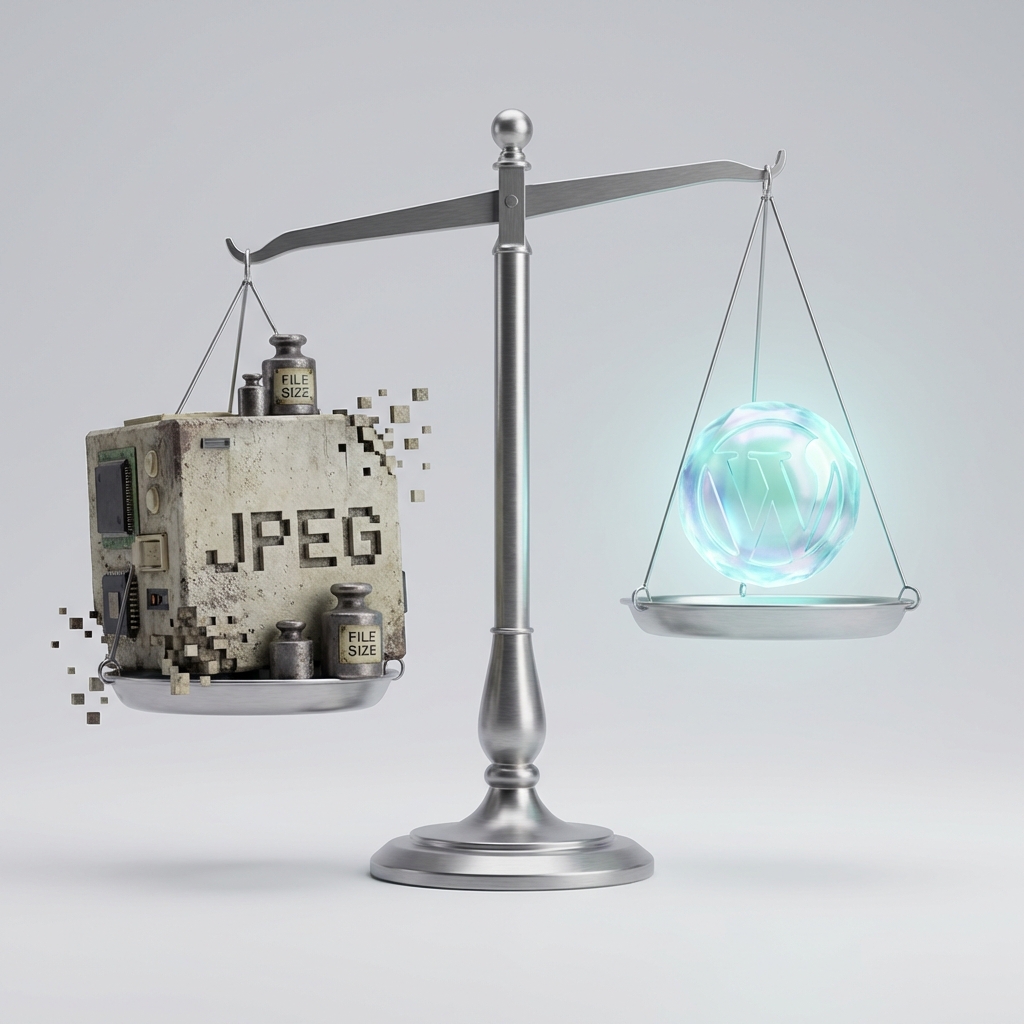
Most websites are still carrying legacy image weight even though WebP can cut file sizes by 25–34 percent compared to JPEG at equivalent quality, and in 2026 the format is finally backed by around 96 percent of browsers worldwide. That combination of efficiency and support is exactly why WebP remains central to modern image strategies and why teams are actively planning or completing migrations right now.
Key Takeaways
| Question | Answer |
|---|---|
| Is WebP still worth using in 2026? | Yes. With about 96% global browser support and smaller files than JPEG/PNG, WebP remains a core format for fast, efficient websites. |
| How widely is WebP used on real sites? | As of January 2026, WebP is used by 19% of all websites and nearly 30% of the top 1,000,000 sites, showing strong adoption among high-traffic properties. |
| What performance wins can I expect from WebP migration? | WebP images are typically 25–34% smaller than JPEG for lossy and about 26% smaller than PNG for lossless, which helps reduce page weight and improve Core Web Vitals. |
| Do I need a server to convert images to WebP? | No. Tools like the SmolPixel Image Optimizer run 100% locally in your browser, so you can batch convert images to WebP without uploads. |
| How can I resize and convert to WebP at the same time? | Use an in-browser tool such as the SmolPixel Image Resizer to resize, compress, and export in WebP in one workflow. |
| Does WebP migration affect user privacy? | If you choose local tools like SmolPixel, images never leave the browser, which keeps optimization private and compliant. |
Why WebP Remains Central To Image Strategy In 2026
WebP is no longer an experimental format or a niche optimization trick, it is a practical default for modern image delivery. It sits in the sweet spot between compatibility, compression efficiency, and implementation simplicity.
By 2026, WebP is used by about 19 percent of all websites and nearly 30 percent of the top 1,000,000 websites, which shows that leading teams trust it at scale. Those numbers are growing as more platforms and frameworks enable WebP by default.
WebP As The Practical Default Format
In 2026, WebP is often the first format teams consider for new builds and redesigns. JPEG and PNG are still important, but they are increasingly treated as fallbacks or specialty formats.
WebP covers photos, graphics, and even simple animations in a single spec, which simplifies asset management. For many teams, that alone reduces complexity in pipelines and design systems.
How WebP Fits Alongside Newer Formats
AVIF and other next-gen formats are gaining support, but WebP remains the reliable baseline. Its earlier adoption curve and deep ecosystem support mean it is easier to roll out across a mixed-stack environment.
Many organizations follow a “best available, then WebP, then legacy” strategy. In that model, WebP remains the core safety net that still brings major gains over JPEG and PNG.
Browser Support: The Biggest Motivator For WebP Migration
For years, hesitation around WebP centered on compatibility, especially on Safari. That concern is largely gone in 2026 because all major browsers, including Safari on iOS and macOS, ship native WebP support.
Global WebP browser support now sits around 96 percent, which makes the risk of breakage extremely low. For most audiences, a WebP-first strategy with limited fallbacks is more than enough.
All Major Browsers, One Common Format
Chrome, Edge, Firefox, and Safari all natively decode WebP without plugins. That creates a consistent baseline for desktop and mobile visitors.
This universal support reduces the need for complicated content negotiation. In many stacks, a single WebP asset can now cover nearly all users.
Handling Legacy And Edge Cases
For the small percentage of users on non-supporting devices, simple fallbacks are enough. Picture elements or server-side negotiation can route JPEG or PNG when needed.
In practice, we see migration projects focus on WebP for the majority, then layer in graceful degradation. Teams rarely report significant support issues once basic fallbacks are in place.
Real Adoption Data: WebP Usage Growth Across The Web
Statistics from independent web scans confirm what many teams feel in their workflows. From 2022 to 2024, WebP usage across websites grew by 34 percent, and that growth continued into 2026.
At the same time, JPEG usage has been trending down, dropping from 40 percent in 2022 to around 32 percent in 2024. This shift reflects active migration decisions rather than just incremental adoption.
High-Traffic Sites Leading The Way
Among the top 10,000 and top 1,000,000 sites, WebP adoption is even stronger, sitting around 30 percent. High-visibility projects often push aggressive performance budgets, so this makes sense.
These sites usually have larger image libraries and heavier traffic, so the impact of smaller images compounds quickly. That economic pressure accelerates WebP migration on big platforms and brands.
Platform And CMS Influence
Hosted platforms and CMS ecosystems play a key role. When they ship WebP by default, millions of sites gain optimized images without individual configuration.
This platform-level push is one reason we expect WebP adoption to keep climbing through 2026, even as AVIF and similar formats mature.
Did You Know?
WebP usage grew 34% among websites from 2022 to 2024, showing a clear shift away from older image formats.
Performance Benefits: Why Teams Feel WebP In Core Web Vitals
WebP is not just theoretical compression; it has visible effects on performance metrics. Because WebP files are smaller, pages ship fewer bytes, which helps improve load times and interaction metrics.
One critical area is Largest Contentful Paint (LCP), where using WebP for hero images can shave off precious milliseconds. Web studies show WebP usage for LCP images rose from 4 percent in 2022 to 7 percent in 2024, and that trend continues.
Quantified File Size Savings
According to format benchmarks, WebP typically delivers about 26 percent savings over PNG for lossless content. For lossy, it usually comes in 25 to 34 percent smaller than JPEG at similar visual quality.
On an image-heavy page, that can mean megabytes removed without any design compromises. It is one of the simplest ways to keep visual quality high while hitting strict performance budgets.
Better Mobile Experiences With The Same Assets
Mobile visitors often deal with less reliable networks and older devices. Smaller WebP files reduce both transfer time and decoding effort.
We regularly see teams use a single WebP asset across desktop and mobile breakpoints, instead of creating multiple JPEG variants. Combined with responsive sizing, that keeps workflows efficient and user experiences consistent.
Cost And Infrastructure Advantages Of WebP Migration
Beyond performance, WebP directly affects infrastructure and operational costs. Smaller files reduce bandwidth consumption and can sometimes lower CDN and hosting bills.
If your project serves millions of image requests per month, even a 20 percent reduction in average image weight adds up quickly. That saving scales with traffic growth, so early migration can pay off over time.
Lower Bandwidth And Storage Footprint
CDN and storage costs are often tied to data transfer and total object volume. Migrating large image libraries to WebP can shrink both.
If your average JPEG is 400 KB and you replace it with a 260 KB WebP, your traffic footprint for that asset drops by more than a third. Replicate that across thousands of images and you get meaningful savings.
Simpler Caching And Asset Management
With WebP available on all major browsers, you can often consolidate asset variants. Instead of juggling three or four formats, many teams work with WebP plus one or two fallback types.
Fewer variants make cache strategies more predictable. It also simplifies invalidation, preloading, and cache-key logic.
Privacy-First WebP Migration With In-Browser Tools
One concern some teams have is handing large image libraries to third-party servers for conversion. That is where in-browser tools play a useful role, since they process images locally.
At SmolPixel, we built our tools so that images never leave the browser. Our resizer and optimizer run entirely on your device using modern browser technologies like WebAssembly and the Canvas API.
Local-Only Processing For Sensitive Assets
Some organizations handle user-generated content or proprietary visuals that cannot leave their environment. Local WebP conversion matches those requirements.
With tools that run in the browser, there are no uploads, no background storage, and no shared queues. That reduces compliance review overhead and privacy risk.
No Sign-Up, No Watermarks, Unlimited Usage
For many migration projects, speed of execution matters as much as technical detail. Our tools are designed to be frictionless so teams can process as many images as they need.
You can drag in assets, convert to WebP, and export directly. We do not gate this behind registration or usage caps, which makes it easier to run bulk conversions during a migration phase.
Did You Know?
WebP images are about 26% smaller than PNG (lossless) and 25–34% smaller than JPEG (lossy) at equivalent visual quality.
Using The SmolPixel Image Resizer For WebP Workflows
Resizing is often the first step in any WebP migration plan. Serving a massive image as WebP still wastes bytes if the dimensions are far larger than needed.
Our Free Image Resizer Online helps you resize JPG, PNG, and WebP in seconds directly in your browser. You can combine dimension changes with format conversion to streamline your workflow.
Smart Cropping And Multi-Size Output
Hero images, thumbnails, and social previews often need different crops and aspect ratios. Our resizer supports smart cropping modes such as cover and contain so you can quickly generate multiple variants.
You can export each size as WebP, which keeps your image set consistent and optimized. This is useful when you are rebuilding responsive image sets.
Designed For Websites, Social Media, And E‑commerce
We built the resizer with common use cases in mind. Whether you are preparing product photos, landing page visuals, or social posts, you can stay in one interface.
Because everything runs locally, you can iterate quickly with instant previews. That feedback loop helps you tune WebP quality settings without guesswork.
Using The SmolPixel Image Optimizer To Convert To WebP
Once dimensions are correct, compression and format choice deliver the final size savings. Our Free Image Optimizer Online focuses on this step.
It accepts JPG, PNG, and existing WebP files, then lets you compress and convert while controlling visual quality. You can target either specific quality levels or approximate file size goals.
Auto-Optimize Mode For Fast Decisions
If you prefer not to micro-manage every slider, our auto mode applies sensible defaults. It aims for strong compression without visible artifacts.
This makes it practical to push many assets through in batches. You can always review a few samples and adjust settings before exporting the full set.
Manual Controls For Critical Visuals
For brand imagery, detailed illustrations, or photography portfolios, you may want finer control. Manual quality settings let you tune WebP compression until it matches your expectations.
Because preview happens instantly in the browser, you see the results as you adjust. That level of control is useful when images play a central role in your product or content.
Planning A WebP Migration: Step-By-Step Approach
A WebP migration does not need to be disruptive. With a clear plan, you can move gradually while monitoring performance and user impact.
Here is a structured way to approach it:
- Audit existing images and identify high-traffic or performance-critical pages.
- Resize assets to appropriate dimensions using a local tool.
- Convert to WebP with controlled compression settings.
- Update templates to serve WebP by default with safe fallbacks.
- Measure impact on page weight and key performance metrics.
Prioritize Performance-Critical Images First
Start with above-the-fold and large imagery that affects LCP and total page weight. Migrating those assets delivers the fastest visible impact.
You can then expand to secondary and long-tail content. This phased approach avoids overwhelming your team and lets you refine your process as you go.
Keep An Eye On Visual Consistency
When mixing formats during migration, check that color, sharpness, and contrast remain consistent. WebP handles these well, but workflows can introduce differences.
We recommend comparing a few representative images side by side before locking in settings. Once you are satisfied, you can apply those settings broadly.
The Future: WebP As A Stable Baseline In A Multi-Format World
Looking beyond 2026, new formats like AVIF are gaining traction and browser support. AVIF reached around 89 percent browser support by 2025, which signals ongoing evolution.
In this context, WebP remains a stable baseline. It is widely supported, well understood, and easier to integrate into existing pipelines.
Layered Strategy: AVIF, WebP, Then Legacy
Many teams adopt a layered approach: serve AVIF where supported, fall back to WebP for the vast majority, then use JPEG or PNG for the remaining edge cases. In that stack, WebP carries most of the load.
This multi-format strategy balances cutting-edge compression with robust compatibility. It also lets organizations experiment with AVIF while keeping a trusted default in WebP.
Why WebP Will Stay Relevant
Even as new formats emerge, the investment in tooling, CDNs, and workflows around WebP will keep it relevant. It already covers the main needs for most visual content.
We expect WebP to remain a central, low-risk choice for years, especially in environments where stability, compatibility, and predictable performance matter.
Conclusion
In 2026, WebP remains central to modern image strategies because it combines strong compression, around 96 percent browser support, and a mature ecosystem. Adoption data from across the web confirms that more sites, especially high-traffic ones, are switching from JPEG and PNG to WebP to cut page weight and improve performance.
We built SmolPixel around these realities. Our free, browser-based resizer and optimizer help you migrate to WebP without uploads, sign-ups, or watermarks, while respecting privacy and giving you fine control over quality. If you are planning or refining your WebP migration, a local, efficient workflow makes it easier to move confidently into this next stage of web imaging.